Backup & Portability for Perfumers: Why You Need JSON + PDF Exports
Why losing years of formulas and not having shareable docs hurt—and how JSON backups, CSVs, and clean PDF exports fix both.
You've spent years building a library of formulas—hundreds of ingredients, dozens of accords, countless iterations. One day the app breaks, the account locks, or the device dies. Your formulas are gone. Or you need to share a formula with a client or a lab—and all you have is a messy spreadsheet or a screenshot. No clean document, no portable format.
I lost years of formulas when I switched tools—and I could never share a clean, professional doc with clients.
— The pain every perfumer fears
Backup and portability aren't optional—they're how you protect your work and share it. This guide explains why you need JSON backups, CSVs, and clean PDF exports: so you never lose your data and you always have shareable docs for formulas and lab notes.
Why losing formulas and lacking shareable docs hurt
When your data lives only inside one app, you're one outage, one migration, or one mistake away from losing it. When you can't export to a standard format, you're locked in—and when you need to share a formula, you're stuck with copy-paste, screenshots, or hand-written notes. Neither is acceptable for a professional.
What you need: JSON, CSV, and PDF
JSON backups
JSON is a standard, text-based format that can hold your full dataset: ingredients, formulas, accords, categories, and metadata. Export to JSON and you have a complete backup—readable by any tool, restorable anywhere. You can version it (e.g., save a copy each month), store it in the cloud or on a drive, and re-import if you switch apps or recover from a crash. One file, full portability.
Backup schedule
Set a reminder to export JSON monthly, or after any major formulation session. Name files with dates: "perfume-backup-2026-02-01.json". Keep at least 3 months of backups in case you need to recover something you deleted.
CSV exports
CSV is the universal spreadsheet format. Export ingredients or formulas to CSV and you can open them in Excel, Google Sheets, or any other tool. Useful for analysis, for moving data into another system, or for sharing raw data with someone who doesn't use your app. Not as rich as JSON, but widely supported and easy to edit.
Clean PDF exports
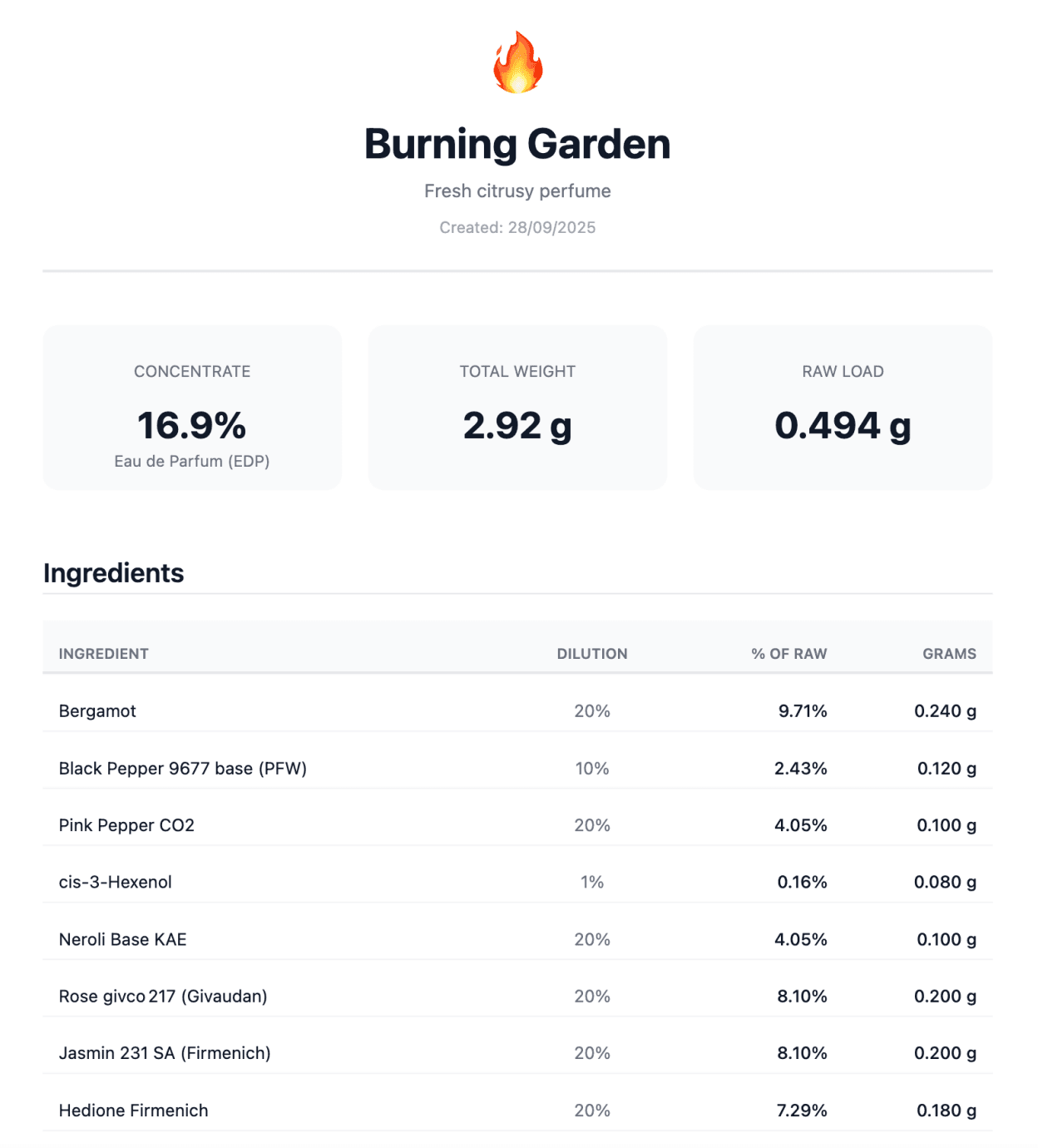
PDFs are for sharing and printing. A clean PDF of a formula or a set of lab notes looks professional—ingredients, percentages, batch size, notes—and can be sent to a client, a lab, or a collaborator without them needing your app. Great for sharing formulas, spec sheets, or lab notebooks. One export, one document, no mess.
How Perfume Workbench handles backup and portability
Perfume Workbench is built for this. With a subscription, your data syncs to the cloud automatically—work on one device, access on another, never worry about losing local files. For extra safety (or if you work offline), export your full data (ingredients, formulas, accords, categories) to JSON for a complete backup—restore anytime, or re-import after a switch. Export ingredients or formulas to CSV when you need spreadsheets or compatibility with other tools. Export formulas (and lab notes) to clean PDFs for sharing with clients or the lab. One place for your data, multiple ways to back it up and share it.
Try it
Export your Perfume Workbench data to JSON and store a copy somewhere safe. Then export one formula to PDF and see how it looks—clean, shareable, professional. Backup and portability in one place.