A Beginner-Friendly Guide to Dilutions (10% DPG, 1% Ethanol, etc.)
Why solvent math and concentration tracking go wrong—and how auto-calc concentration and dilution fields prevent mistakes so your formulas stay accurate.
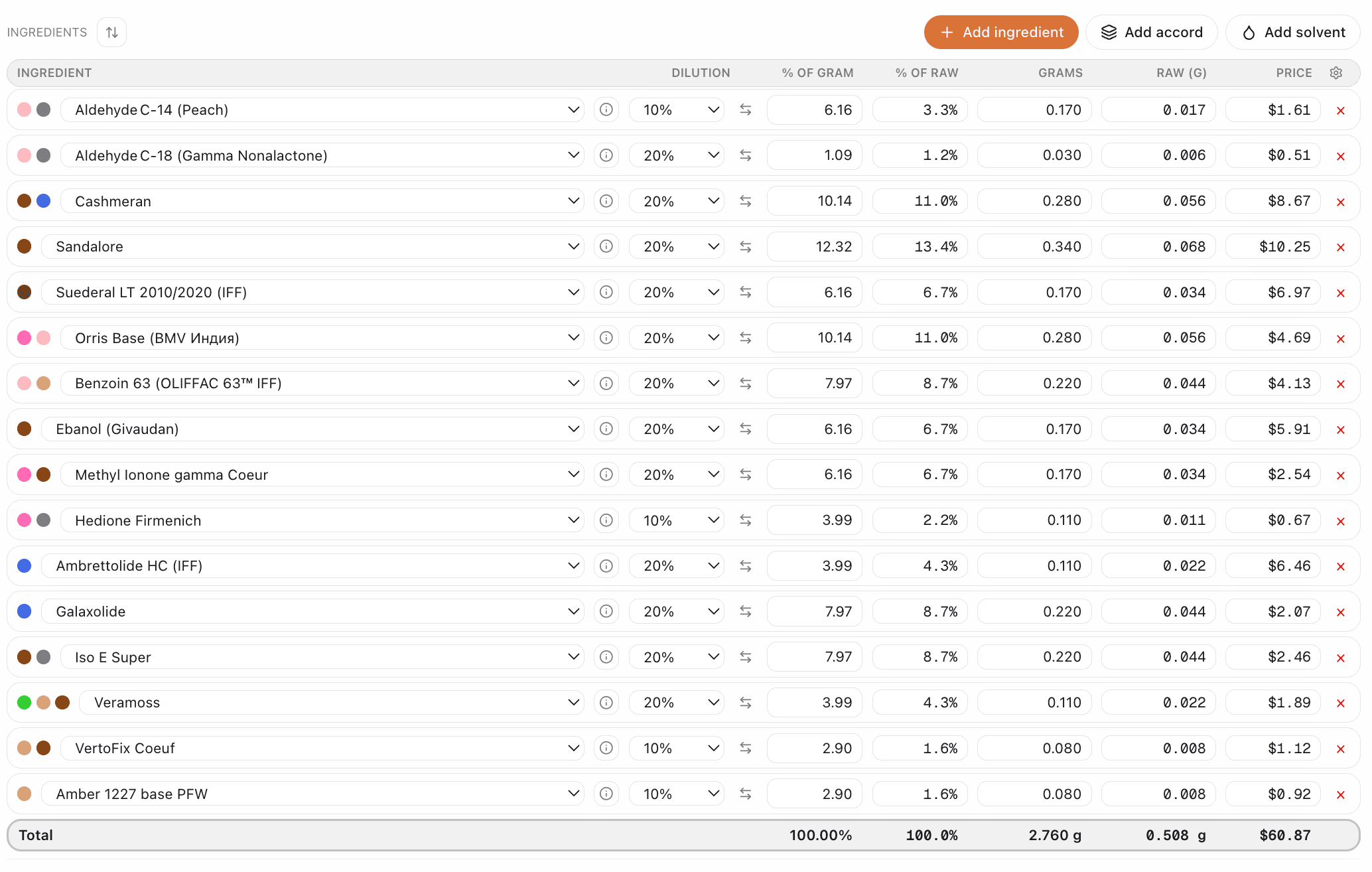
You've got ISO E Super at 10% in DPG. Your formula calls for 2% of the neat material. So you add… how much of the 10% dilution? And when you enter it in your spreadsheet, are you logging the concentrate percentage or the finished-product percentage? One wrong cell and your whole formula is off.
I kept messing up the solvent math—was that 10% in DPG or 10% in the formula? My concentration tracking was a disaster.
— The pain every beginner hits
Dilutions are everywhere in perfumery: 10% in DPG, 1% in ethanol, 50% in IPM. Getting the math right—and keeping it right in your formulas—is non-negotiable. This guide explains the basics and shows how auto-calc concentration plus clear dilution fields prevent the mistakes that ruin batches.
Why dilution math goes wrong
When you work with diluted materials, two numbers matter: the percentage of the dilution you're adding (e.g. 5% of a 10% DPG solution) and the equivalent percentage of the neat material in the final formula (0.5% neat). Mix them up—or forget which column is which—and your formula no longer matches what you think you're making.
Manual tracking breaks down fast: one spreadsheet has "% of dilution," another has "% neat." You add a new material and forget to set its dilution. Or you change a dilution in the library and don't update the formula. Suddenly your totals are wrong, your IFRA math is wrong, and the batch doesn't smell right.
The basics: dilution and concentration
What is a dilution?
A dilution is the strength of the material in its carrier solvent. "10% in DPG" means 10% active aromachemical and 90% DPG (dipropylene glycol). When you add 2g of that dilution to a 10g formula, you're adding only 0.2g of the actual aromachemical (2g × 10% = 0.2g)—so just 2% of your finished product is the active material.
Common dilution levels
- 100% (neat) — pure material, no dilution; used for most naturals and mild synthetics
- 10% — standard working dilution for powerful materials like ISO E Super, Ambroxan
- 1% — for extremely potent materials like musks, civet reconstructions, some animalics
- 0.1% — for trace materials and evaluation of very strong ingredients
Concentration in the formula
What matters for the scent (and for IFRA) is the concentration of the neat material in the final formula. If your ingredient is 10% in DPG and you add 5% of that dilution by weight, you're really adding 0.5% neat. The software should do that conversion for you so you always see the true concentration.
Where manual tracking fails
- Spreadsheets mix "% of dilution" and "% neat" in the same table.
- You update a dilution in one place and forget to recalc the formula.
- Totals don't include solvent—or they do—and you're never sure.
- IFRA limits are for neat material; wrong concentration means wrong compliance.
How auto-calc concentration and dilution fields fix it
When every ingredient has a dilution field (e.g. 100% neat, 10% DPG, 1% ethanol), the app can convert automatically: you enter grams or percentage of the dilution you're using, and it shows the equivalent neat concentration in the formula. Totals stay correct. IFRA checks use the right numbers.
You don't have to remember which column is "authoritative." You enter what you're actually adding—the dilution and the amount—and the system does the rest. Change a dilution in the ingredient library, and every formula that uses it reflects the new concentration. No silent errors.
What to look for in a formulation tool
- Dilution per ingredient (stored in the library, applied in the formula).
- Auto-calc of neat concentration so you always see true % in the formula.
- Totals that make sense (e.g. total concentrate vs. solvent).
- IFRA checks based on neat concentration, not dilution percentage.
How Perfume Workbench handles dilutions
Perfume Workbench is built for this. Set dilution per ingredient in your library (100% neat, 10% DPG, 1% in ethanol, etc.). When you add an ingredient to a formula, the app uses that dilution to compute the neat concentration automatically. You see the real percentage in the formula; totals and IFRA checks use the same numbers. No more solvent math mistakes or concentration drift.
Try it
Add your materials to Perfume Workbench with their dilutions, then build a formula. Watch the concentration update as you add or change amounts—no spreadsheets, no mixed-up columns. It's the fastest way to keep dilution and concentration right.