The DIY Perfumer's Ingredient Library Setup
How to organize your perfume materials with tags, dilutions, prices, and notes—and stop losing track of what's diluted.
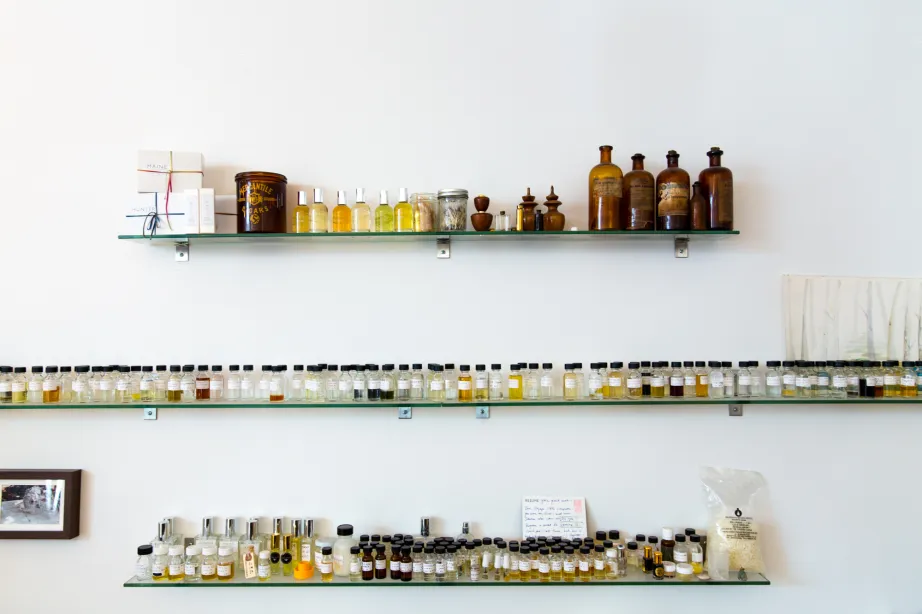
If you've been making perfumes for a while, you probably recognize this scenario: you have a spreadsheet (or several) listing your materials, some handwritten notes about dilutions, maybe a separate price list, and a growing sense that you've lost track of what's actually in your collection.
Wait, is this ISO E Super at 10% or neat? Did I dilute the Ambroxan in DPG or ethanol?
— Every DIY perfumer at some point
A well-structured ingredient library solves this chaos. Instead of hunting through files and sticky notes, you have one place where every material lives with all its details: dilutions, prices, categories, aroma notes, and safety limits. This guide shows you how to set one up—and how Perfume Workbench makes it effortless.
Why a structured library matters
Scattered information leads to mistakes. You might accidentally use a 10% dilution when you meant to use neat material, throwing off your entire formula. Or you forget that you're running low on an expensive natural and order more of something you already have. Worse, you might exceed IFRA limits because you couldn't quickly check the restriction for a material.
Common mistakes from poor organization
Using wrong dilution strengths, ordering duplicates of materials you already own, and exceeding IFRA safety limits are all symptoms of disorganized ingredient tracking.
A centralized library gives you instant answers. Need to know which florals you have? Filter by category. Want to see all your musks sorted by price? One click. Trying to remember the CAS number for a supplier order? It's right there. The time you save compounds with every formula you build.
Essential fields for every ingredient
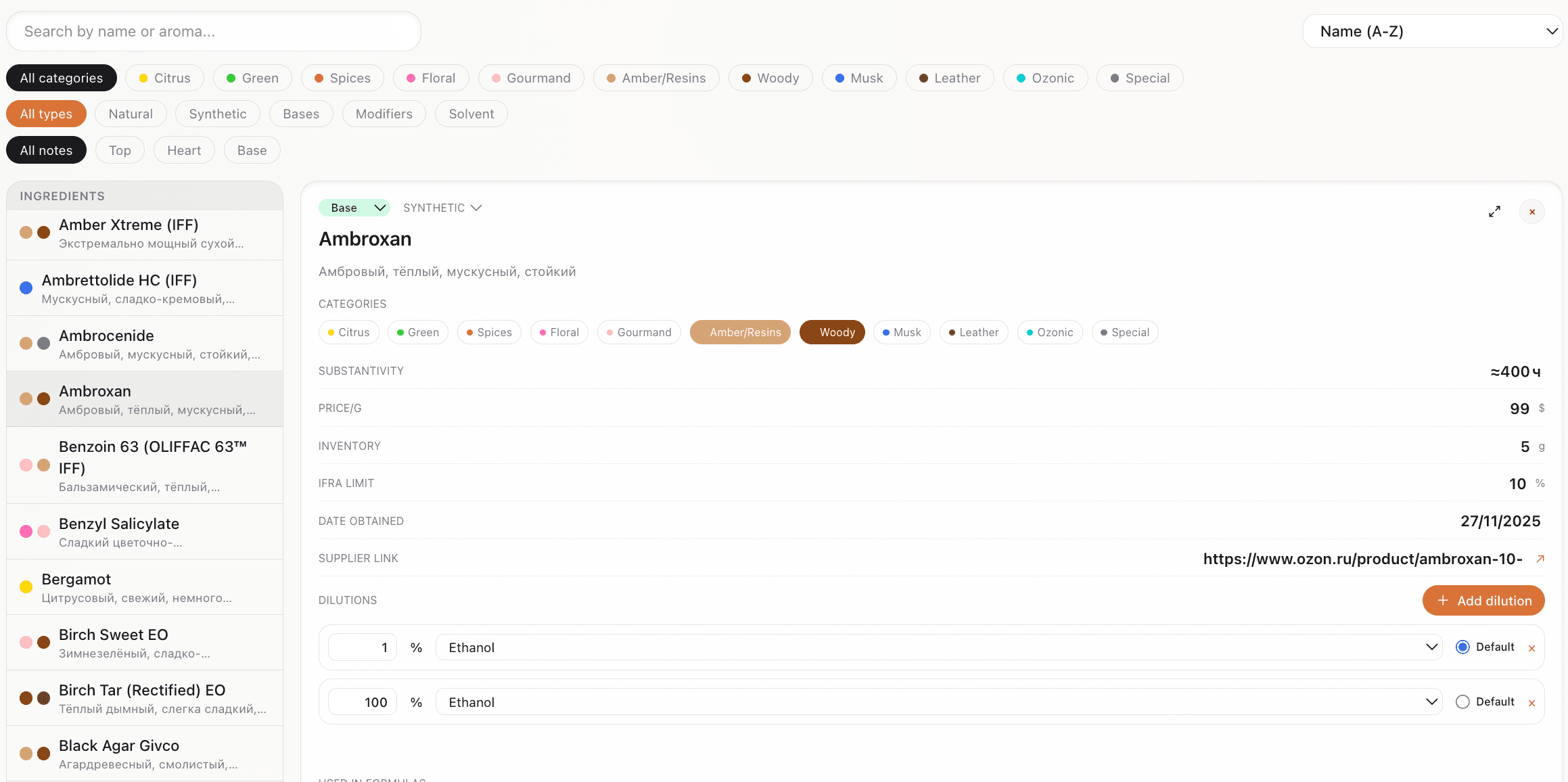
At minimum, each ingredient entry should capture: name, type (synthetic, natural, base, solvent), and which part of the fragrance pyramid it belongs to (top, heart, or base note). The note classification helps you balance formulas—too many top notes and your perfume vanishes quickly; too few base notes and it lacks depth.
The must-have fields
- Name — the ingredient's common or trade name (e.g., "Hedione," "Bergamot BF")
- Type — synthetic, natural, base, modifier, or solvent
- Pyramid note — top, heart, or base (some materials span multiple)
- Category — scent family (citrus, floral, woody, musk, amber, green, etc.)
- IFRA limit — maximum safe usage percentage for your product category
Beyond the basics, categories let you organize by scent family: citrus, floral, woody, amber, musk, and so on. When you're building a formula and need "something green," you can filter to just your green materials and browse options. Color-coded categories make scanning even faster.
Tracking dilutions properly
Dilution tracking is where most spreadsheets fall apart. Many aromachemicals are too strong to use neat—you work with them at 10%, 1%, or even 0.1% in a solvent. But which solvent? DPG, ethanol, IPM? And do you have multiple dilutions of the same material?
Pro tip
Always label your dilution bottles with both the percentage AND the solvent used. "Iso E Super 10% DPG" is much more useful than just "Iso E Super 10%".
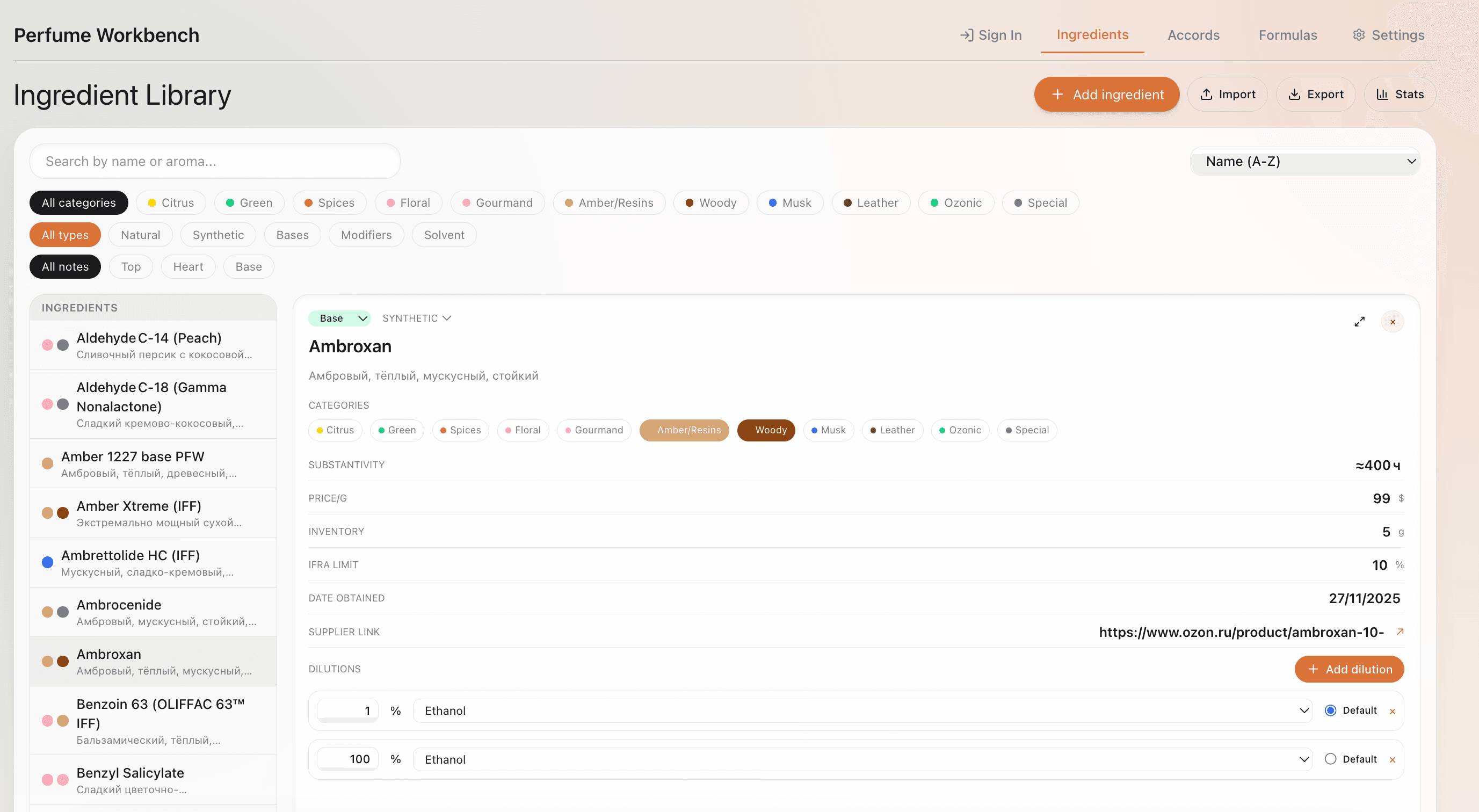
A proper ingredient library lets you store multiple dilutions per material. Your ISO E Super entry might show: neat (100%), 10% in DPG, and 1% in ethanol. When you add it to a formula, you pick the dilution you're actually using, and the calculator converts to raw material weight automatically. No more mental math or conversion errors.
What to track for each dilution
- Dilution percentage (e.g., 10%)
- Solvent used (DPG, ethanol, IPM, etc.)
- Default flag for quick selection
- Notes for special preparations
Pricing and inventory
Knowing what your materials cost helps you price your creations and avoid unpleasant surprises. Enter the price and volume for each ingredient, and the app calculates cost per gram. When you build a formula, you can see not just the scent but also the cost breakdown.
Cost awareness
That high-end natural might smell marginally better, but is it worth 10x the price for your target market? With pricing data at your fingertips, you make informed decisions instead of guesses.
Adding notes and descriptions
Your nose learns faster when you write things down. For each ingredient, record your aroma impressions in your own words. Be specific: instead of "smells nice," write "bright lemon peel, slightly green undertone, moderate tenacity, fades to a soft waxy note after 2 hours." Note the substantivity (how long it lasts on a blotter)—this helps you predict how materials will behave in a blend. Link to your supplier for easy reordering, and add the CAS number for safety documentation and cross-referencing.
Over time, these notes become your personal reference library. When you smell something in a commercial fragrance and think 'that's familiar,' you can search your descriptions.
This knowledge compounds—every note you add makes your library more valuable.
Using tags and categories
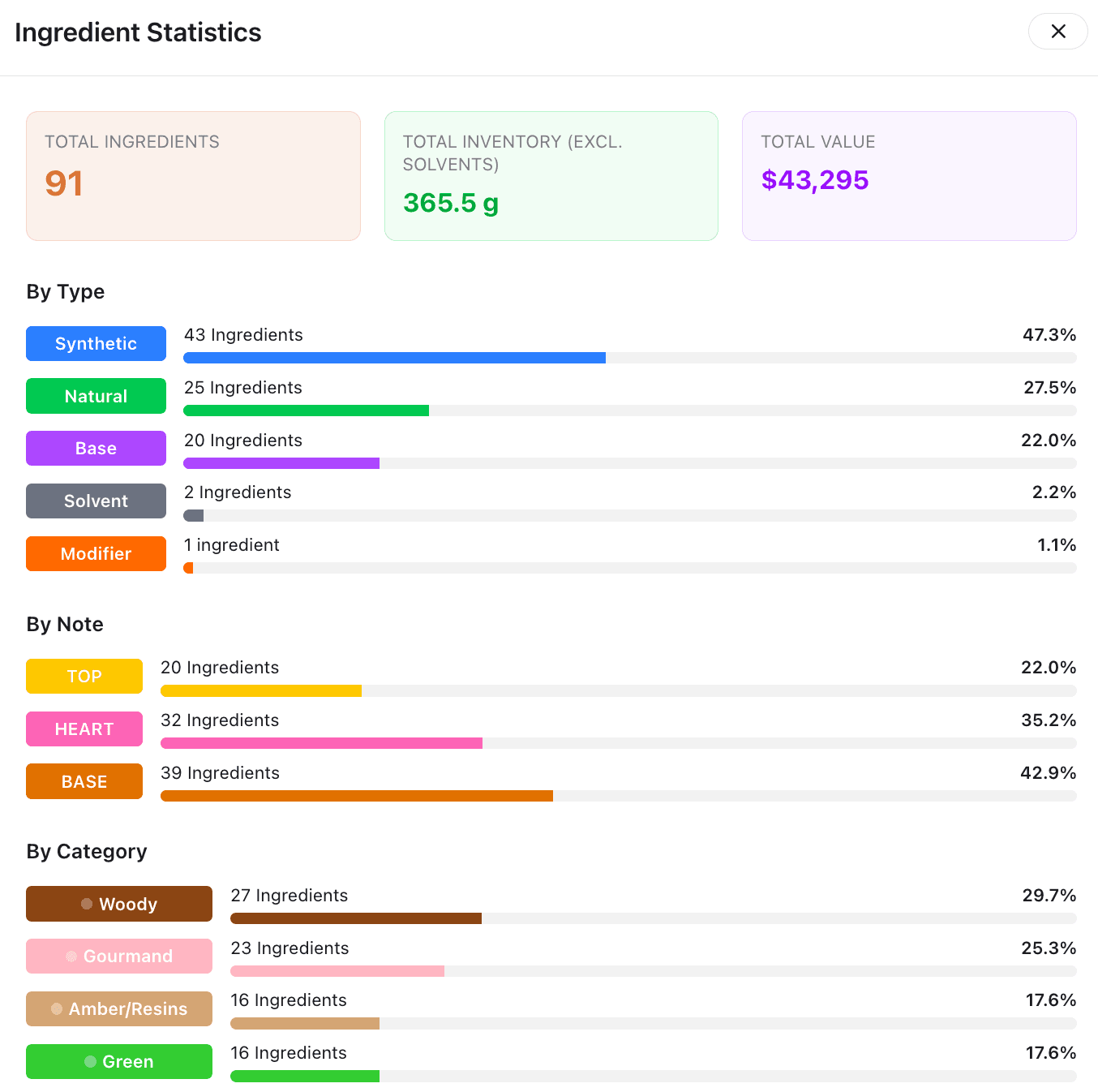
Categories group ingredients by scent family, but sometimes you need more flexibility. Tags let you add custom labels: "client project," "needs reorder," "favorite," or "experimental." Filter by multiple tags to find exactly what you need.
Color-coded categories provide visual organization. At a glance, you can see that your formula is heavy on amber (brown) and light on citrus (yellow). This visual feedback helps you balance compositions intuitively, even before you smell them.
Migrating from spreadsheets
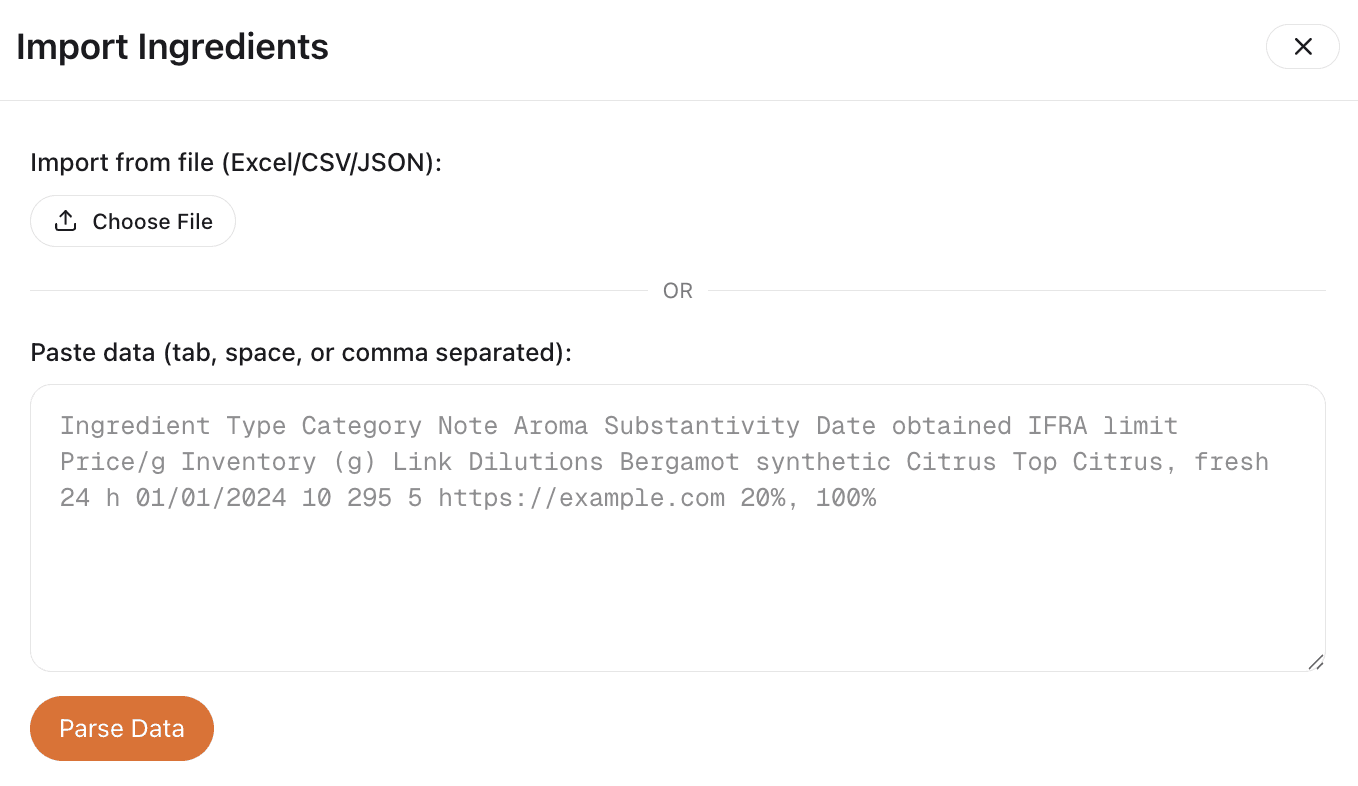
If you already have ingredients in a spreadsheet, you don't have to start over. Perfume Workbench supports CSV import: export your spreadsheet to CSV, map the columns, and import. Your existing data—names, categories, prices, notes—transfers in seconds.
Import tip
The import process handles common column names automatically (both English and Russian headers work). After import, you can enrich entries with dilutions, IFRA limits, and other details that spreadsheets struggle to organize.
Putting it all together
A well-organized ingredient library transforms how you work:
- Instead of hunting for information, you browse, filter, and select
- Instead of guessing dilutions, you know exactly what you're adding
- Instead of wondering about costs, you see the numbers
The result: faster formulation, fewer mistakes, and more time for the creative work that matters.
Perfume Workbench gives you all of this in one place—ingredients, dilutions, prices, categories, and notes—synced across devices and always up to date. Try it free and see how much easier ingredient management can be.